Sign in
GitLab is the tool we use to host our code, automate processes, plan work and track its completion. It is designed to offer tooling for the entire DevOps lifecycle.
This how-to covers signing in to GitLab for the first time.
Getting an account
Any University member with a University account can sign in to GitLab. You should have been given a University account when you joined the University. University Information Services has a dedicated help page for new-starters which covers this.
Signing in
To sign in to GitLab:
- Visit the GitLab sign in page in your browser.
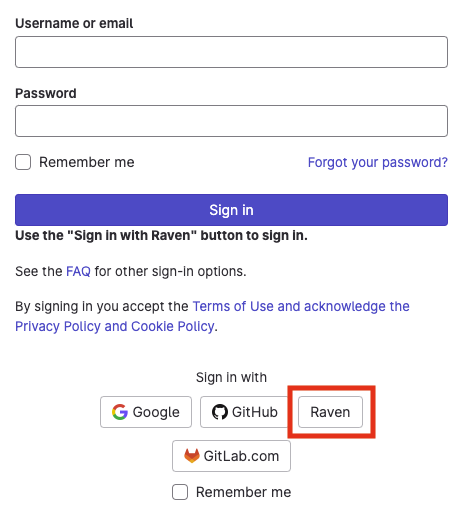
- Click the University account sign-in button, highlighted below in red.
- Sign in using your University account credentials.
- Fill out your user profile.
Summary
In this how-to, you learned how to sign in to GitLab using your University account.